
Let’s take a look at what website accessibility means and how to achieve it.
The Short Version
WCAG stands for Web Content Accessibility Guidelines, the international standard that courts and regulators reference when they talk about an “accessible” website. Version 2.1, Level AA is the bar most small businesses and non-profits are held to in the United States when accessibility is disputed. It is not a law by itself, but it is the technical definition everyone leans on when they say “make this site accessible.”
What Problem WCAG Is Trying to Solve
Roughly one in four adults lives with some form of disability. And the barriers they encounter online are invisible to many: low-contrast text, missing form labels, images with no descriptions, and being unable to navigate using the Tab key.
We think about these users constantly. They are shoppers, clients, and customers of small businesses and non-profits just like yours. WCAG collects testable, practical rules so websites can work for keyboard users, screen reader users, people with low vision, and many others.
What “level AA” Actually Means
WCAG organizes its criteria into three levels: A (minimum), AA (mid), and AAA (strictest). Level AA is the practical target for most marketing and brochure sites. It covers things like:
- Sufficient color contrast for text and interface controls
- Visible keyboard focus so users always know where they are on the page
- Text alternatives for meaningful images
- Correct heading structure so assistive technology can navigate by section
- Form inputs linked to visible labels and clear error messages
Level AAA adds requirements that are not always feasible for every design. AA strikes the right balance between rigor and real-world design flexibility, which is exactly where we aim on every project.
What This Means for Your Website
You need to choose accessible colors and type/fonts, build with semantic HTML, test with a keyboard and automated scanners, and correct issues found during a WCAG audit.
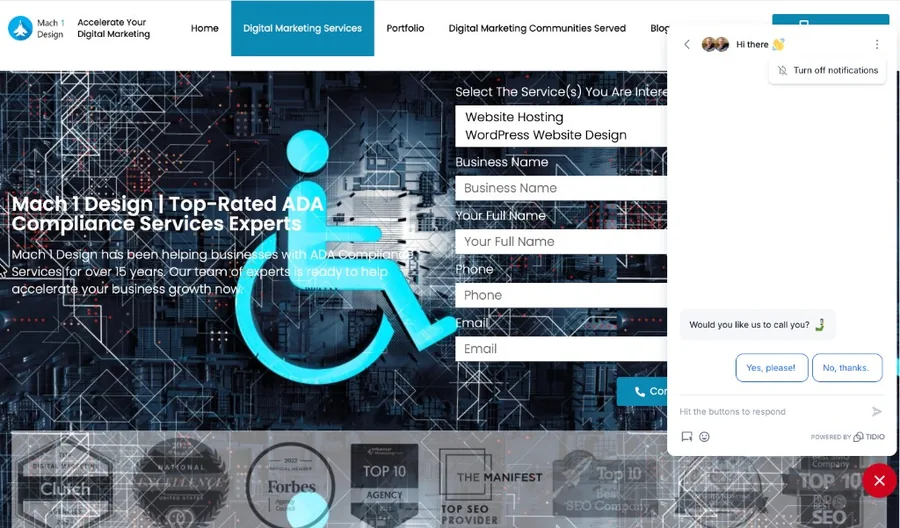
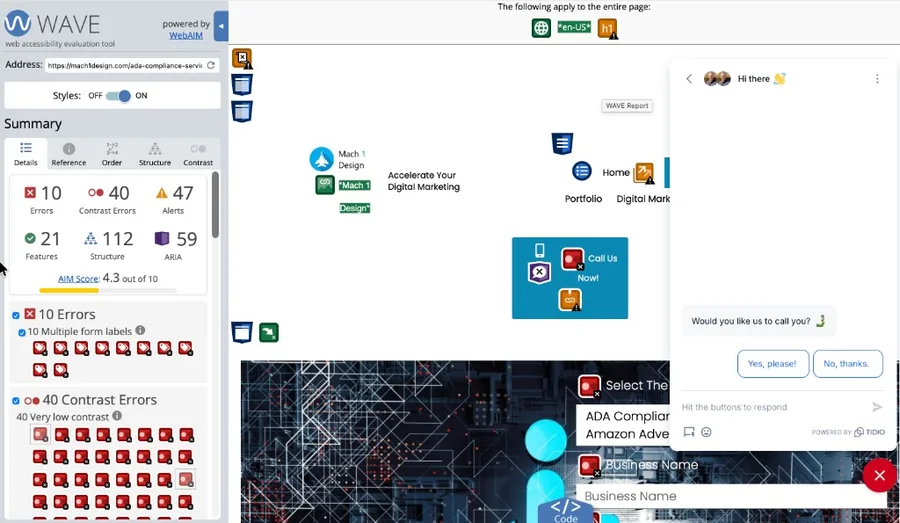
The same caution applies when you hire help. A studio can boast they will help make your site ADA compliant when their own site fails basic ADA checks. Before you trust a vendor, run their site through this scanner and look at the results yourself.
Drag the slider to reveal what a WAVE scan actually finds. Click View larger to inspect details.
Where to Start
Here’s a link to a free accessibility audit tool. Use it to scan any URL with no email required. To fix problems on your own, use our checklist to work through fixes. Or contact us for help.